How can I add or delete apps in Samsung Kids?
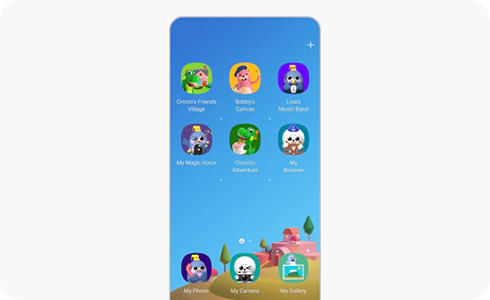
How to add or delete apps on Samsung Kids


Step 1. Tap the More menu in the top right corner of the Home screen and go to “Edit Home screen”.


Step 2. Enter your PIN.
![Step 3. To add apps, tap the Add [+] button in the upper right corner of screen.](http://images.samsung.com/is/image/samsung/assets/global/support/apps-and-services-/how-can-i-add-or-delete-apps-in-samsung-kids-/4-en-how-can-i-add-or-delete-apps-in-samsung-kids.png?$LazyLoad_Home_PNG$)
![Step 3. To add apps, tap the Add [+] button in the upper right corner of screen.](http://images.samsung.com/is/image/samsung/assets/global/support/apps-and-services-/how-can-i-add-or-delete-apps-in-samsung-kids-/4-en-how-can-i-add-or-delete-apps-in-samsung-kids.png?$448_N_PNG$)
Step 3. To add apps, tap the Add [+] button in the upper right corner of screen.
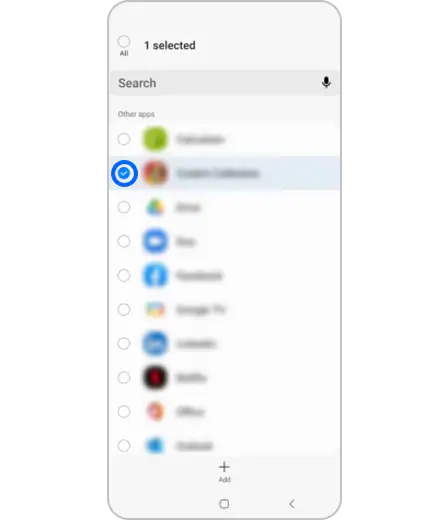
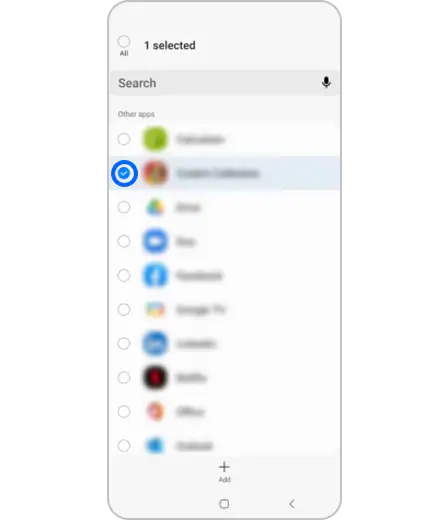
Step 4. Add the apps of your choice.


Step 5. To delete apps, long press the app icon and tap “Delete”.


Step 6. Click the “Save” button to apply the changes.
How to download new apps
Thank you for your feedback!
Please answer all questions.
*Operates as a price discount: Pre-order the Galaxy S26 Ultra larger storage variant (512GB) by 10.03.26 and pay the future price of the Galaxy S26 Ultra smaller storage variant (256GB). Pre-order the Galaxy S26+ larger storage variant (512GB) by 10.03.26 and pay the same price as the Galaxy S26+ smaller storage variant (256GB). Pre-order the Galaxy S26 larger storage variant (512GB) by 10.03.26 and pay the future price of the Galaxy S26 smaller storage variant (256GB).